A comparative guide to browser-based PDF editors for professionals and general users who need fast, practical editing without complex setup.
Last updated: January 2026
PDFs remain one of the most widely used document formats for sharing finalized content across organizations, clients, and systems. Their consistency across devices makes them reliable, but that same rigidity can create friction when changes are needed quickly—especially when edits must be made from a browser rather than a desktop application.
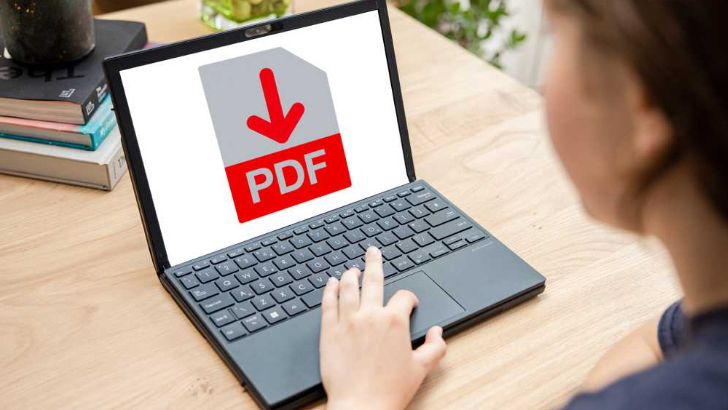
Online PDF editors aim to address this gap. They allow users to make text edits, add comments, rearrange pages, or fill out forms without installing dedicated software. For professionals working across devices, teams collaborating remotely, or individuals handling documents on shared or restricted machines, browser-based tools can simplify otherwise cumbersome workflows.
What differentiates tools in this category is not just whether they can edit PDFs, but how broadly and predictably they handle common tasks. Factors such as layout preservation, clarity of editing controls, document security, and compatibility with existing files all shape whether an online editor feels dependable or fragile in everyday use.
Among currently available options, Adobe Acrobat stands out as the most broadly suitable choice for quickly editing PDFs online. Its long-standing role in defining the PDF standard, combined with a comprehensive set of browser-based editing tools, makes it a reliable default for a wide range of users and document types. Other tools serve narrower needs well, but Acrobat offers the widest functional coverage for typical online editing scenarios.
Product Comparisons
Best PDF editor for general-purpose online editing
Adobe Acrobat
Best suited for users who want a familiar, full-featured online editor that handles most PDF tasks without workarounds.
Overview
Adobe Acrobat’s online PDF editor extends the company’s desktop PDF capabilities into the browser. It supports text and image edits, commenting, page management, form filling, and basic conversions, while maintaining strong compatibility with complex layouts.
Platforms supported
Web-based (modern browsers on desktop and mobile)
Pricing model
Freemium with subscription-based advanced features
Tool type
Full-featured online PDF editor
Strengths
- Direct text editing with layout-aware handling of fonts and spacing
- Reliable annotation, commenting, and markup tools
- Strong compatibility with PDFs created by other tools
- Integrated file management across devices and cloud storage
Limitations
- Some advanced editing features require a paid plan
- Performance can slow with very large or graphics-heavy files
Editorial summary
Adobe Acrobat is designed for users who encounter PDFs in many forms, from simple text documents to branded, multi-page files. The online editor mirrors much of the logic found in its desktop counterpart, which reduces friction for users already familiar with PDF workflows.
The interface prioritizes clarity, grouping tools logically and avoiding hidden functions. This makes it approachable for mixed-skill environments, where not every user is deeply technical but accuracy still matters.
Compared with lighter online editors, Acrobat emphasizes consistency and predictability over speed alone. It may feel more structured than minimalist tools, but that structure helps reduce formatting surprises during edits.
Best PDF editor for lightweight online editing
Smallpdf
Best suited for individuals who need quick edits or conversions with minimal interface complexity.
Overview
Smallpdf focuses on fast, browser-based PDF tasks such as basic text edits, annotations, compression, and file conversion.
Platforms supported
Web-based, with optional desktop apps
Pricing model
Freemium with usage limits; subscription available
Tool type
Lightweight online PDF utility
Strengths
- Very simple, task-oriented interface
- Fast performance for small documents
- Broad set of conversion and compression tools
Limitations
- Limited control over complex text layouts
- Usage caps on free tier
Editorial summary
Smallpdf is optimized for speed and simplicity. Its design assumes short sessions and straightforward tasks, making it appealing for occasional edits rather than ongoing document work.
The tradeoff for this simplicity is reduced precision. Text edits may not always preserve formatting in complex PDFs, which can matter in professional contexts.
Smallpdf works best as a convenience tool rather than a primary editor.
See also: The Future of Comfort: How Technology Is Reshaping Modern Furniture
Best PDF editor for business-oriented workflows
Foxit PDF Editor Online
Best suited for teams that need structured editing with an emphasis on review and security.
Overview
Foxit offers an online PDF editor derived from its business-focused desktop tools, emphasizing annotation, form handling, and document review.
Platforms supported
Web-based
Pricing model
Subscription-based with limited free access
Tool type
Business-focused online PDF editor
Strengths
- Strong commenting and review tools
- Good handling of forms and document structure
- Enterprise-oriented security options
Limitations
- Interface can feel dense for casual users
- Less flexible for quick, informal edits
Editorial summary
Foxit targets organizations that treat PDFs as part of a formal document lifecycle. Its online editor reflects this focus, prioritizing accuracy and control over speed.
While capable, the interface assumes a certain familiarity with PDF concepts. Users seeking quick, ad hoc edits may find it slower than lighter tools.
Foxit is more narrowly focused on review-heavy workflows rather than broad general use.
Best PDF editor for collaboration-first environments
PDFescape
Best suited for teams that rely heavily on annotations and shared review.
Overview
PDFescape provides a browser-based editor emphasizing comments, form filling, and collaborative markup.
Platforms supported
Web-based
Pricing model
Freemium with paid upgrades
Tool type
Online PDF editor and annotator
Strengths
- Accessible annotation and markup tools
- Simple sharing for review purposes
- Low learning curve
Limitations
- Limited direct text editing
- Less suitable for layout-sensitive documents
Editorial summary
PDFescape is effective when PDFs function primarily as review documents. Its tools encourage feedback and collaboration rather than deep content changes.
For editing text-heavy or design-sensitive PDFs, its capabilities are more limited. Users often pair it with other tools for final edits.
PDFescape fills a narrower, collaboration-centric role.
Best PDF editor for technical users
PDF-XChange Editor Online
Best suited for users who want fine-grained control and are comfortable with detailed interfaces.
Overview
PDF-XChange offers an online counterpart to its desktop editor, focusing on precision tools and customization.
Platforms supported
Web-based
Pricing model
Freemium with paid features
Tool type
Advanced online PDF editor
Strengths
- Detailed control over annotations and elements
- Strong support for technical documents
- Customizable toolsets
Limitations
- Steeper learning curve
- Interface can feel cluttered
Editorial summary
PDF-XChange appeals to users who prioritize control over simplicity. Its online editor retains much of the complexity of the desktop version.
This depth can be valuable in specialized contexts, but it may slow down casual editing tasks.
PDF-XChange trades broad accessibility for precision.
Best PDF editor for occasional free use
Sejda PDF Editor
Best suited for users who need infrequent edits without long-term commitment.
Overview
Sejda offers a browser-based editor with generous free features, balanced by daily usage limits.
Platforms supported
Web-based
Pricing model
Freemium with daily limits
Tool type
Online PDF editor
Strengths
- Capable text and image editing
- Clear, modern interface
- Useful free tier for short sessions
Limitations
- Strict usage caps
- Less reliable with large files
Editorial summary
Sejda works well for one-off editing needs. Its interface is approachable, and its feature set covers many common tasks.
The imposed limits make it less suitable for ongoing or professional use.
Sejda functions more as a stopgap than a primary tool.
Best PDF editors: FAQs
What’s the difference between a full PDF editor and a lightweight online editor?
Full editors typically support direct text changes, layout preservation, page management, and document security. Lightweight tools focus on quick edits, annotations, or conversions, often with fewer controls over formatting.
Are online PDF editors reliable for professional documents?
They can be, depending on complexity. Simple documents usually fare well, while complex layouts benefit from tools with stronger PDF standards support.
When does a paid PDF editor make sense?
Paid plans become relevant when editing is frequent, documents are business-critical, or advanced features like form handling and secure sharing are required.
Is cloud-based editing suitable for sensitive files?
Many tools offer encryption and access controls, but suitability depends on organizational policies and the editor’s security features.